Step 1: Login
The first step is to log in to the account and visit the My Account page.
You should see something like the image here.
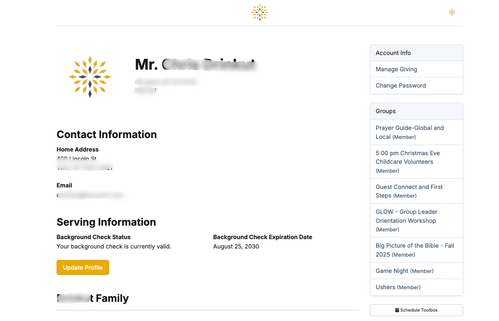
Step 2: Select a Group to Email.
From the My Account Page, you should see all of the Groups that you are involved in.
Select the group you wish to email.
Select the group you wish to email.
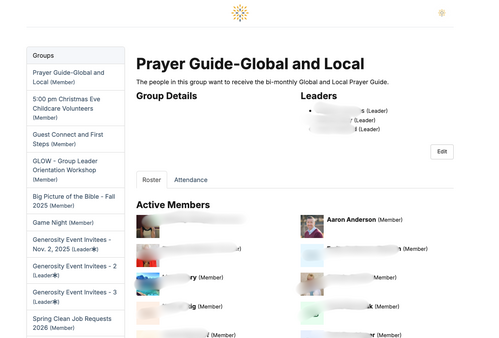
Step 3: Scroll to the Bottom of the page.
After selecting a Group, you should see something like the image here.
Next, you'll scroll to the bottom of the listed members page.
Next, you'll scroll to the bottom of the listed members page.
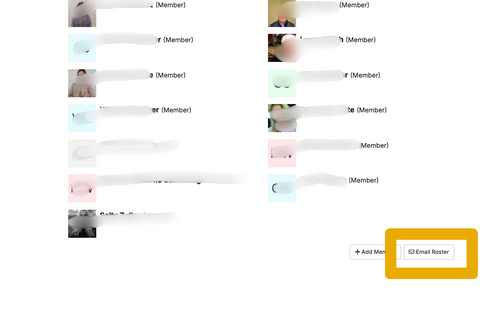
Step 4: Select the Email Roster option.
At the bottom of the page, you should see a button labeled "Email Roster".
Tap the button.
Tap the button.
Step 5: Begin Your Email
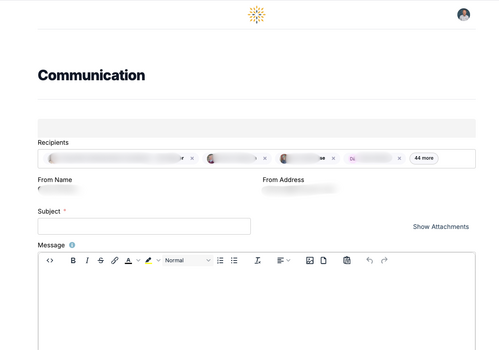
After tapping the Email Roster button, you should see a page like the image here.
Your name and email address should be listed, and you should see an option to create an email.
Your name and email address should be listed, and you should see an option to create an email.
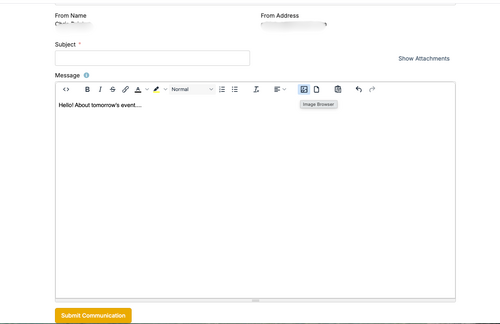
Step 6: Complete Your Email and Send.
Once you have written your email, tap the Submit Communication button.
Your email has been sent. Try it out!
More instructions and feature guides will be shared in the coming weeks.
Your email has been sent. Try it out!
More instructions and feature guides will be shared in the coming weeks.